



Chiang Mai SIM Card & eSIM Guide: Stay Connected in Paradise
Need data in Chiang Mai? Our 2025 guide covers everything about buying a SIM card or eSIM in Thailand. Get tips on local carriers, airport kiosks, best value plans, and installation.
CHIANG MAI OLD TOWN AND TRAVEL TIPS
12/4/20257 min read


Stay Connected in Paradise: A Guide to SIM Cards, eSIMs, and Internet in Chiang Mai
You’ve just landed in Chiang Mai. The air is warm, the scent of jasmine and street food fills your senses, and the vibrant energy of the "Rose of the North" immediately sweeps you up. You want to snap a photo of that first magnificent temple, find the quickest way to your hotel, or check in with loved ones back home.
But wait—how do you get online?
Navigating the world of mobile data in a new country can feel daunting. Should you buy a local SIM card? What’s an eSIM? Will your phone even work? And most importantly, how do you get connected without breaking the bank or wasting precious holiday time?
Welcome to the C and R Thai Massage Blog. We know that a truly relaxing trip means being stress-free. And in today’s world, being connected to the internet is a key part of that peace of mind. Whether you need Google Maps to find the perfect Khao Soi or a quick video call to share your adventures, reliable internet is essential.
This comprehensive guide will demystify everything you need to know about SIM cards, eSIMs, and getting connected in Chiang Mai. We'll cover your options, give you step-by-step instructions, and share insider tips to ensure you stay connected from the moment you land until it’s time for your next soothing massage with us!
Part 1: Why Getting a Local SIM or eSIM is Essential
While Wi-Fi is widely available in hotels, cafes, and even some public spots, relying solely on it for your entire trip is not ideal.
Navigation: Google Maps is your best friend for finding temples, markets, and hidden gems.
Ride-Hailing: Apps like Grab (Thailand’s Uber) are indispensable for affordable and safe transport.
Communication: Stay in touch with tour guides, new friends, and C and R Thai Massage for your bookings!
Emergencies: Access to a local number can be crucial in unforeseen circumstances.
Convenience: Look up opening hours, translate menus, or post those amazing photos instantly.
Part 2: Understanding Your Options: SIM vs. eSIM
Before you even arrive, it’s good to know the two main ways to get mobile data.
Option 1: Physical SIM Card (The Traditional Way)
This is a small plastic card that you insert into your phone's SIM tray.
Pros:
Widely Available: Easy to buy at the airport, 7-Eleven, or carrier stores.
Easy Installation (for most): Just swap your home SIM out.
Clear Pricing: Packages are usually straightforward.
Cons:
Physical Swapping: You risk losing your home SIM card.
Single Device: The SIM card is tied to one phone.
Older Phones: Necessary for phones that don't support eSIM.
Who it's for: Travelers with older phones, those who prefer a physical card, or anyone who doesn't mind swapping SIMs.
Option 2: eSIM (The Modern Way)
An eSIM (embedded SIM) is a digital SIM profile that's built directly into your phone. You activate it by scanning a QR code or entering details, no physical card needed.
Pros:
No Physical Card: No swapping, no losing your home SIM.
Dual SIM Functionality: You can keep your home number active (for texts/calls) while using the eSIM for data.
Instant Activation: Often activated immediately after purchase.
Convenience: Purchase and activate before you even leave home.
Cons:
Phone Compatibility: Only works on newer smartphone models (check if your phone is eSIM compatible before you travel!).
Less Ubiquitous: Not all local carriers offer easy eSIM options for tourists yet (though this is changing rapidly).
Troubleshooting: Can sometimes be trickier to troubleshoot if issues arise.
Who it's for: Travelers with modern, eSIM-compatible phones who want maximum convenience and dual SIM functionality.


Part 3: Where to Buy and Which Carrier to Choose
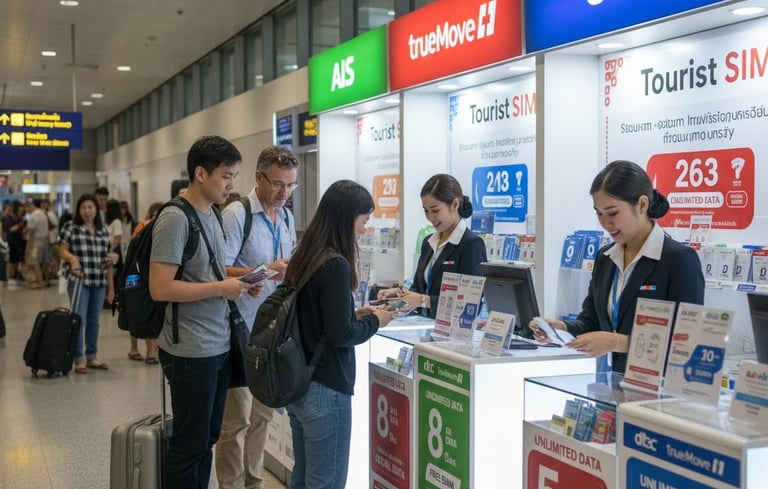
Thailand has three main mobile network operators (MNOs): AIS, TrueMove H, and Dtac. All offer excellent coverage in Chiang Mai and decent coverage across most of Thailand.
1. At Chiang Mai International Airport (CNX) - Most Convenient
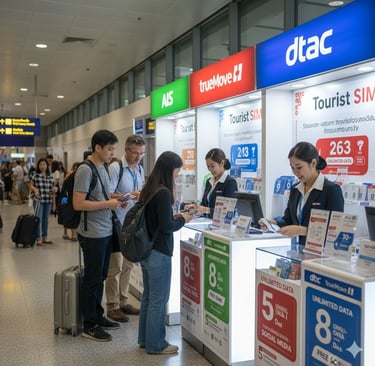
Location: As soon as you exit baggage claim, you'll see kiosks for AIS, TrueMove H, and Dtac.
What to expect: They offer "Tourist SIM" packages specifically designed for travelers. These usually include a fixed amount of high-speed data, unlimited slower data, and some local calling credit, valid for 8, 15, or 30 days.
Pros: Super convenient, staff can help you set it up, you're connected immediately.
Cons: Slightly more expensive than buying in town. Limited package options. May have a queue during peak hours.
Tip: Have your passport ready, as you'll need it for registration.
2. In Town: Carrier Stores in Malls - Best Value
Location: Major shopping malls like Maya Lifestyle Shopping Centre, Central Chiangmai Airport, or CentralFestival Chiangmai have official stores for AIS, TrueMove H, and Dtac.
What to expect: More package options, often better value than airport kiosks. Staff are usually very knowledgeable and helpful.
Pros: Better prices, wider selection of plans, excellent customer service.
Cons: Takes a bit more time out of your day to get there and queue.
Tip: This is C and R's recommended option if you have an hour to spare. You can grab lunch or shop while you're there!
3. 7-Eleven or FamilyMart - Quick & Basic
Location: These convenience stores are everywhere!
What to expect: You can buy pre-activated SIM cards (though registration is technically required for all SIMs in Thailand). You'll then need to top up credit and buy a data package via a separate process (often through their app or by dialing codes).
Pros: Extremely convenient, open 24/7.
Cons: Limited staff assistance. You need to know how to activate the data package yourself.
Tip: Best for a quick top-up or if you're comfortable with self-service.
Part 4: Buying an eSIM for Thailand (Pre-Arrival Options)
If your phone supports eSIM, you can often buy and activate a plan before you even leave home. This is the ultimate convenience.
1. Airalo, Holafly, Nomad, Gigsky (Third-Party eSIM Providers)
How it works: You download their app, choose a data package for Thailand, pay, and then scan a QR code to install the eSIM profile on your phone.
Pros: Instant connection upon landing, no physical SIM swapping, can keep your home SIM active.
Cons: Can be slightly more expensive per GB than local SIMs. Data-only plans (no local number for calls/SMS usually).
Tip: Great for short trips or if you absolutely need to be connected the second you land without any hassle.
2. Local Carriers Offering eSIMs Online
How it works: Some Thai carriers (e.g., AIS) now offer tourist eSIMs for purchase directly on their websites. You'll typically receive the QR code via email.
Pros: Often better value than third-party providers. Get a local number.
Cons: Still requires a bit of pre-planning.


Part 5: Step-by-Step Installation Guide (Physical SIM)
If you choose a physical SIM card, here's how to install it:
Locate SIM Tray: Use the small SIM ejector tool (usually found in your phone's box or attached to the SIM card package) to open the SIM tray on your phone.
Remove Home SIM: Carefully remove your existing SIM card and store it somewhere safe (e.g., in a small, sealed bag or a dedicated wallet slot). You do not want to lose this!
Insert New SIM: Place the new Thai SIM card into the tray, ensuring it fits correctly.
Restart Phone: Pop the tray back in and restart your phone.
Activation: The phone should automatically connect to the network. You might receive an SMS with your new Thai phone number and data plan details.
Check Data: Open a web browser or an app to confirm you have internet access. If not, check your phone's APN settings (though this is rarely needed with tourist SIMs).
Top-Up/Buy Package (if needed): If you bought a basic SIM from 7-Eleven, you'll need to follow instructions on the SIM package to top up credit and purchase a data plan.
Part 6: Step-by-Step Activation Guide (eSIM)
Check Compatibility: Ensure your phone is eSIM compatible before you buy.
Purchase eSIM: Buy your eSIM online from a reputable provider or a local carrier's website. You'll receive a QR code.
Connect to Wi-Fi: Make sure you're connected to a stable Wi-Fi network (e.g., at home or at the airport) before attempting activation.
Add eSIM:
iPhone: Go to Settings > Cellular > Add eSIM.
Android: Go to Settings > Network & Internet > SIMs > Add eSIM (exact path may vary).
Scan QR Code: Use your phone's camera to scan the QR code provided by your eSIM vendor.
Label eSIM: Label your new eSIM (e.g., "Thailand Data") and choose how you want to use it (e.g., use for data, keep primary for calls).
Select for Data: Ensure your phone is set to use the new eSIM for cellular data.
Enable Data Roaming (for eSIMs): For some eSIMs, you might need to enable data roaming in your phone settings to get connected. This usually only applies to the eSIM profile itself, not your home SIM, so it won't incur roaming charges from your home carrier.
Part 7: Wi-Fi Hotspots and Free Options
While a local SIM/eSIM is recommended, you'll still find plenty of free Wi-Fi:
Hotels & Guesthouses: Almost all accommodations offer free Wi-Fi.
Cafes & Restaurants: Most cafes (especially in Nimman and the Old City) have free Wi-Fi. It’s expected to buy a drink if you’re using it.
Malls: Shopping centers often provide free Wi-Fi.
Public Wi-Fi: Government-provided "Thailand Wi-Fi" exists, but coverage can be spotty and unreliable.


Conclusion: Connected and Relaxed
Staying connected in Chiang Mai is easier than ever. Whether you opt for the simplicity of a physical SIM or the modern convenience of an eSIM, having reliable data will enhance your trip immensely. You'll navigate with ease, capture every moment, and stay in touch with your world.
And after a long day of exploring Chiang Mai, perhaps searching for that perfect SIM card deal or navigating a new eSIM setup, your mind might feel a little wired. Your shoulders might be hunched from looking at your phone.
That's your cue to disconnect—at least for an hour or two—and reconnect with yourself. Come visit us at C and R Thai Massage. Let our skilled therapists soothe away the digital stress, release any tension, and leave you feeling truly relaxed and grounded. Because while staying connected is important, sometimes, the best connection is with your own well-being.
What's your go-to method for getting connected when you travel? Share your tips in the comments below!
Branch 1: Sunday Walking Street
(10 AM - 10PM)
Address: 145/8 Rajdamnern Road T. Prasingh
A. Mueng Chiang Mai 50200
Branch 2: Chiang Mai Gate
(10 AM - 10PM)
Address: 18/5 Rat Chiang Saen Road T. Hai Ya
A. Mueng Chiang Mai 50100
Phone Number:
+66 (0) 94 601 6207
+66 (0) 83 480 2627
Email: services.crgroup@gmail.com